A chatbot can quietly become your best lead collector, or the pop-up people close in two seconds. What decides which one you get is timing and tone, not the technology.
1. Give Before You Ask
A visitor who has just got a helpful answer is far more willing to leave an email than one who is blocked at the door. Avoid chat windows that demand details before answering anything. Let the bot be useful first.
Think of the difference in a physical shop. A salesperson who blocks the door and asks for your phone number before you can look around loses you immediately. One who answers your question and then says "want me to email you the details?" earns a yes. The online version works the same way, and visitors judge it within seconds.
2. The Right Moments to Ask
Timing is most of the difference between a helpful offer and an irritating pop-up. These are the moments when asking for contact details tends to feel natural.
- When the bot cannot answer. The visitor has a real need and you cannot meet it in chat, so a follow-up is genuinely helpful. This is the most natural lead moment.
- When they ask for a quote, booking or call. The request itself is the invitation.
- When they say they are about to leave or will come back later. Offer to send the information by email.
- Not on page load. Opening with "Enter your email to continue" is the classic way to annoy people.
A simple test for any trigger is to ask: would this ask feel helpful if a person did it? Offering to follow up when you could not answer someone's question is helpful. Interrupting a visitor who is reading your pricing page with a request for their email is not. Keep the helpful ones, and remove the rest.
3. Ask for Less
Every extra field costs you leads. Start with name and email, and add a phone number only if you really phone people. An optional message box lets visitors explain in their own words. If you need more detail, collect it in your follow-up, not in the first form.
| Field | When it makes sense |
|---|---|
| Almost always, it is how you reply | |
| Name | Helps you personalise the reply |
| Phone | Only if you actually call |
| Company or budget | Only for B2B enquiries where it changes who answers |
A useful habit is to review your form once a quarter and remove any field you did not use. If you collected phone numbers for six months and never phoned anyone, delete the field and your form gets shorter. Shorter forms are easier to complete, particularly on a phone where typing is slow.
Keep the privacy basics in view too. Collect only what you need, tell people what you will do with it, and store it where your team can find it. Details you cannot use are a liability, not an asset.
4. Say Why You Are Asking
One short sentence removes most of the suspicion: "Leave your email and our team will reply within one business day." Only promise what you can deliver. Say what happens next, and do it. Do not add people to marketing lists without their consent. Being open that the visitor is talking to a bot helps too; see our disclosure guide.
Wording matters more than designers expect. Compare "Submit" with "Send to our team", and "Enter your email" with "Where should we send the answer?". The second version in each pair says what happens next and who is involved. Small changes like these tend to make the ask feel like a service instead of a demand.
5. One Form Beats Many Questions
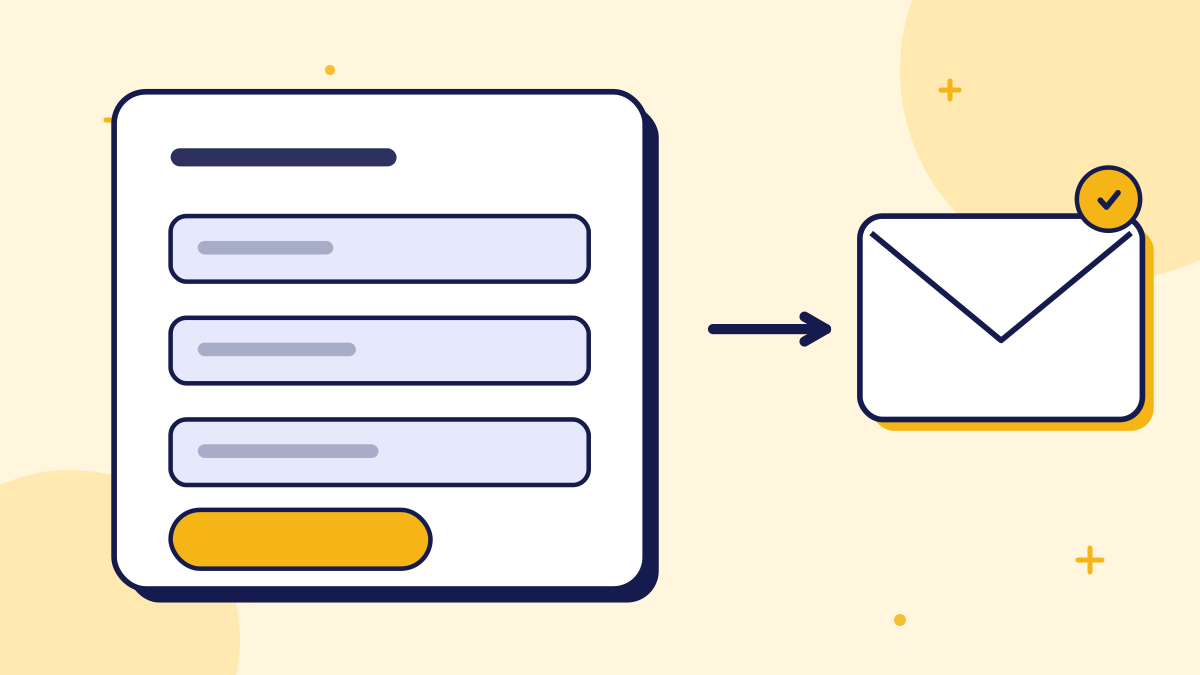
Asking for details one message at a time feels like an interrogation and gives visitors many chances to quit. A single compact in-chat form, with the fields visible at once, is quicker and clearer. This is how ConvoRail's chat handles it: when the bot cannot answer, it can show an in-chat contact form so the visitor leaves their details and the conversation is flagged for your team.
A single form also makes mistakes easy to fix. If a visitor mistypes their email, they can see and correct it before sending, rather than discovering the error three questions later. Pre-filling information you already know, such as the question they just asked, saves them effort and gives your team the context they need.
6. Follow Up Fast
Capturing the lead is only half the job. What you do in the hours after the form is submitted decides whether it turns into a conversation.
- 1Reply quickly. The first responder often wins the lead, and an old enquiry feels ignored.
- 2Reference what they asked. Open with their question, not a generic template.
- 3Make the next step obvious. A booking link, a clear answer or a direct question.
- 4Track what converts. Note which questions lead to enquiries and write better answers there. Our guide to measuring chatbot ROI shows how.
Pro Tip: Check that your auto-reply email arrives and reads well. It is often the first thing a new lead sees from you.
Put a target on response time and measure it. Many businesses discover that they reply fast to phone calls and slowly to web enquiries. Setting a simple rule, such as replying to every chat enquiry within one business day, and checking the inbox at fixed times, usually fixes this without any new software.
Finally, close the loop. When a lead becomes a customer, note which question or page started the conversation. Over a few months this shows which topics bring in business, and tells you where a better answer in your chatbot is most worth writing.
7. A Sample Lead Capture Flow
Putting the pieces together, here is what a respectful flow can look like from the visitor's side. The visitor asks a question the bot can answer, and gets a clear reply. They ask a second question the bot cannot answer. The bot says so honestly and offers to pass the question to your team. A short in-chat form appears with name, email and an optional message, and a line explaining when they will hear back.
- 1Answer first. The visitor gets value before being asked for anything.
- 2Admit the gap. The bot says it does not have confirmed information on the second question.
- 3Offer the follow-up. One sentence explains that your team can reply and asks for contact details.
- 4Show the form once. Name, email and an optional message, all visible at once.
- 5Confirm and set expectations. A short thank-you that states the reply time you can genuinely meet.
Behind the scenes, your team should receive the conversation with the question attached, so the first reply can address it directly. A reply that begins "You asked about delivery to a remote area" feels personal; one that begins "Thanks for your enquiry" feels like a form letter.
Finally, review the flow as a visitor would every few months. Run through it on a phone, check the wording, and confirm the notification and auto-reply still work. Small drifts, such as a broken email alert, quietly turn a good process into one that loses leads.
Summary
Respectful lead capture means helping first, asking at natural moments, requesting the minimum and following up fast. Done that way, the chatbot is not a gate; it is a friendly way of saying "leave your details and we will get back to you".
Key takeaways
- Let the bot help before you ask for contact details.
- Ask at natural moments: when it cannot answer, when someone requests a quote or booking, or when they will return later.
- Collect the minimum, usually name and email, and explain why you are asking.
- A single in-chat form feels better than a series of separate questions.
- Reply quickly and reference what the visitor asked.
Quick Summary
Chatbot lead capture is collecting a visitor's contact details through chat. To do it without annoying people, let the bot be useful first, ask at natural moments such as when it cannot answer or when someone requests a quote or booking, collect the minimum, say why you are asking and use a single in-chat form rather than many questions. Follow up quickly and refer to what the visitor asked.
Want to see grounded answers on your own site?
Start free, add your Q&A pairs and paste one script tag. No credit card required.

Founder & CEO
Writes about grounded AI chatbots for websites: how they work, how to measure them and what to check before you buy.
Topics
Get new posts by email
Guides on AI chatbots for websites, straight to your inbox.