Search engines have crawled the web for decades. Now AI companies run their own crawlers too, to train models, to power search features inside assistants, or to fetch a page when a user asks about it. A small text file at the root of your site, robots.txt, is where you state which of them may visit. Getting this right is a quiet but real part of being visible in AI answers.
The names and behaviours below come from my general knowledge of how each company documents its crawlers. They change, so confirm the current user-agent names in each company's own documentation before you edit anything.
What Is robots.txt and What Can It Do?
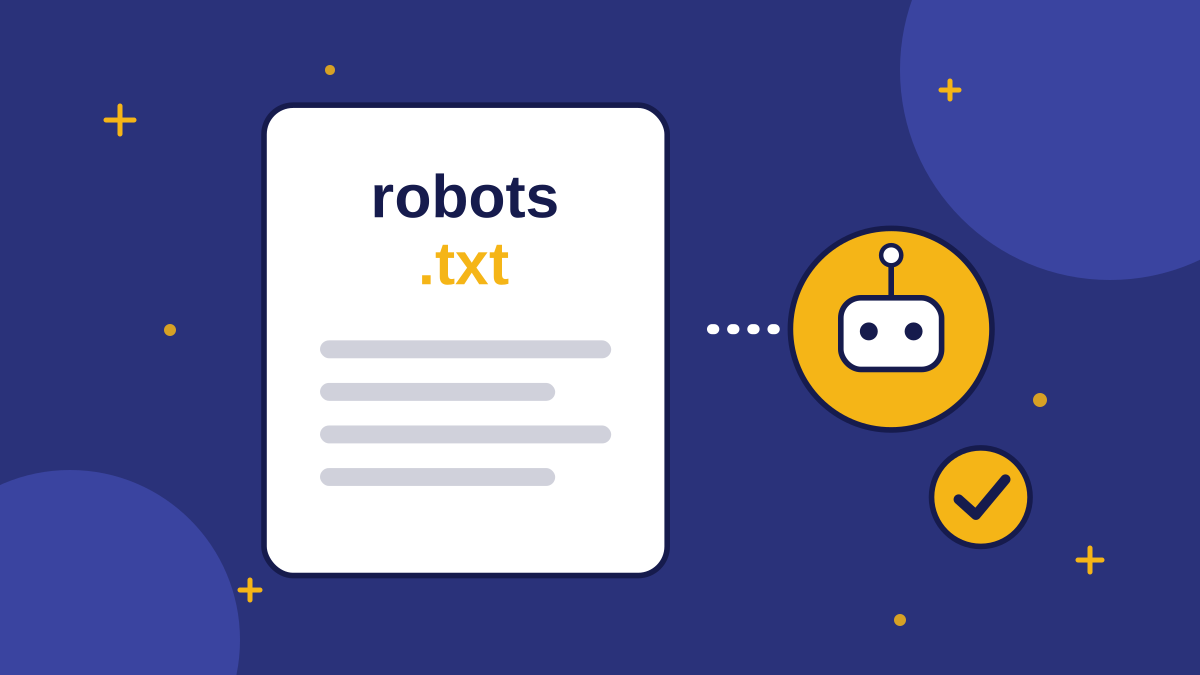
robots.txt is a plain text file at yourdomain.com/robots.txt that lists which crawlers may fetch which paths. It is a request, not a lock. Reputable crawlers follow it, but it does not technically stop a crawler that ignores it, and it does not hide a page from someone who has the link.
It controls crawling, not whether a page appears in a given index. For private or sensitive content, use real access controls such as a login, not robots.txt alone.
Which AI Crawlers Exist?
Several companies publish named crawlers, and some run more than one for different purposes. Treat this as a starting list to verify, not a final reference.
| Company | Crawler names to look up | Typical purpose (verify in their docs) |
|---|---|---|
| OpenAI | GPTBot, OAI-SearchBot, ChatGPT-User | Model training, search features, and fetching a page for a user |
| Anthropic | ClaudeBot and related user agents | Training and fetching for Claude features |
| Perplexity | PerplexityBot and a user-triggered agent | Building an answer index and fetching on request |
| Google-Extended (a control token) | Controls use of content for some Gemini features, separate from Search |
Note the split between purposes. A crawler that gathers training data is a different decision from one that fetches your page so an assistant can cite it. Many publishers allow the second and treat the first separately.
Should You Allow or Block Them?
For a business that wants to be found, the default should be to allow the crawlers that power search and citation features, and make a deliberate choice about training crawlers. Blocking everything can make your site invisible to the assistants you want to appear in.
- Allow if you want assistants to read and cite your public pages, which suits most small businesses.
- Block training crawlers only if you object to your content being used to train models, accepting the trade-offs.
- Block everything AI only if you have a specific reason, such as licensed or paywalled content.
- Do nothing if your robots.txt already allows all crawlers, which is the usual default.
There is no universal right answer. Think about what you publish: marketing pages that you want quoted are different from proprietary research you sell.
How Do You Check Your Current File?
Open yourdomain.com/robots.txt in a browser. Look for lines that start with User-agent and Disallow. A blanket Disallow: / under User-agent: * blocks everyone, which is a common accident left over from a staging site.
- 1Open robots.txt and read it from top to bottom.
- 2Search for any named AI crawlers and note whether each is allowed or disallowed.
- 3Check that important pages (home, pricing, blog) are not disallowed.
- 4Make sure your sitemap is listed with a Sitemap: line.
- 5Test one key page with the URL inspection tools in Google Search Console and Bing Webmaster Tools.
Does robots.txt Affect Whether AI Cites You?
It can affect whether a crawler fetches your pages, which is a prerequisite for being cited from them. It does not guarantee a citation, and some assistants answer from data collected earlier or from other sites that mention you.
Also remember that assistants lean on search indexes. Getting your pages into Bing and Google, through sitemaps and tools such as IndexNow for Bing, supports visibility in assistants that rely on those indexes. How each assistant sources its answers changes, so check current documentation rather than relying on any article, including this one.
What About llms.txt?
llms.txt is a proposed file that describes your site to language models. I do not have verified evidence that the major assistants use it to select or rank sources, so do not treat it as a substitute for clear pages and accurate crawling rules. We explain the trade-offs in what llms.txt actually does for AI search.
Pro Tip: Whenever you change robots.txt, save the old version with the date. If traffic or visibility changes afterwards, you can see exactly what you changed.
What Do Common robots.txt Patterns Mean?
You do not need to write code to read the file. A few patterns cover most situations, and describing them in words is enough to spot problems.
- Allow everyone: a User-agent: * line followed by an empty Disallow line, or no Disallow lines at all, means every crawler may fetch every page.
- Block everyone: User-agent: * followed by Disallow: / asks every crawler to stay away from the whole site. This is the classic leftover from a staging site.
- Block one crawler: a User-agent line naming that crawler, followed by Disallow: /, affects only that crawler.
- Block a folder: a Disallow line with a path such as /private/ asks crawlers to skip that folder.
- Point to the sitemap: a Sitemap: line with the full URL helps crawlers find your pages.
What Should You Do If You Find a Problem?
- 1Save a copy of the current robots.txt with today's date.
- 2Make one change at a time, so you know what caused any effect.
- 3Re-open the live file in a browser to confirm the change is published.
- 4Test an important URL in Google Search Console and Bing Webmaster Tools.
- 5Check again in a few weeks, since crawlers do not re-read the file instantly.
If your site is built on a platform or CDN, robots.txt may be generated by a setting rather than a file you edit directly. Ask whoever manages the platform before you assume you can change it.
Related reading: llms.txt explained, AI assistants and search discovery and tracking AI mentions.
Conclusion
robots.txt tells crawlers what they may fetch, but it is a request and not a lock. Most small businesses should allow the crawlers that power AI search and citation, decide separately about training crawlers, avoid accidental blanket blocks and confirm current crawler names in each company's documentation.
Key takeaways
- robots.txt is a request to crawlers, not an access control.
- AI companies run separate crawlers for training, search and user-triggered fetching.
- Allow the crawlers that power citation if you want to be found.
- Check for accidental blanket Disallow rules left from staging sites.
- Verify current crawler names in each company's documentation, because they change.
Quick Summary
robots.txt and AI crawlers matter because assistants can only cite pages they can fetch. A small business that wants visibility should usually allow the crawlers behind AI search and citation, decide separately about model-training crawlers and avoid accidental blanket blocks. robots.txt is a request that reputable crawlers follow, not a security control, and crawler names change, so verify them in each company's documentation.
Want to see grounded answers on your own site?
Start free, add your Q&A pairs and paste one script tag. No credit card required.

Founder & CEO
Writes about grounded AI chatbots for websites: how they work, how to measure them and what to check before you buy.
Topics
Get new posts by email
Guides on AI chatbots for websites, straight to your inbox.